

No results found for your search.
No results found for your search.


You've probably seen the rich snippet on Google's SERPs; it's where everyone wants to be. Schema markup, also known as Schema, is a recent advancement in the SEO industry. For many years, Schema and other structured markup formats have been in use. However, few people were aware of it, and it was not widely used. Let's take a look at 'Schema Markup' today.
Schema markup is a code (semantic vocabulary) that can be added to the HTML of your website to help search engines understand it better. As a result, search engines will be able to provide users with more relevant and informative results on a SERP when they type in a query.
Schema.org is a collaborative effort to standardize structured markup between major search engines such as Google, Bing, Yandex, and Yahoo! The goal of standardizing structured markup was to help search engines provide users with more relevant results for their search query.
A schema is added to the content of your webpage, just like any other markup format, to specify what it is and how search engines should interpret it when displayed on a SERP.
Let’s try to understand this with a real-time scenario:
The HTML tags that can be used on a webpage are familiar to webmasters. These HTML tags merely instruct browsers on how to display the data contained within them. h1>Apple/h1>, for example, will display the words "Apple" in a heading 1 format.
It does not, however, convey any information regarding the text's meaning. The term "Apple" either apply to a fruit or to the popular electronic goods brand "Apple." This could lead to confusion among search engines when displaying search results on the SERP.
You may fix this by adding the ‘Organization Schema' tag to Apple Inc.'s website, which tells Google bots that the page is about a corporation or organisation rather than a fruit.
The combination of Schema markup, the RankBrain algorithm, and Google's BERT upgrade will help you locate the most relevant response for your search query on the SERPs.
MUST READ: Benefits of Local SEO [2021]
The following are some of the most significant advantages of including schema on your webpages:
Today, there are three major types of schema markups that are widely utilised. They are as follows:
In 2015, Google made JSON-LD (JavaScript Objective Notation for Linked Data) the preferred Schema markup type. It does not have to be in the page's body, but it can be in a Script> tag anywhere on the page. JSON-LD is hidden, making it easier for webmasters to use it without interfering with the page's rendering.
Microdata is a set of tags that are immediately inserted to your page's HTML code. If you aren't experienced with programming, this can be challenging.
RDFa (Resource Description Framework in Attributes) is an HTML5 addition that uses tags inline with current HTML, comparable to Microdata. RDFa is a markup language that is used to markup metadata on a webpage.
Adding Schema Markup to your page will help crawlers better comprehend it and rank it on the SERP accordingly. However, in one of his Webmaster Hangout meetings, Google's John Mueller stated that it is not yet a ranking component.
Let's look at how to add schema markup to a webpage now. To properly add a schema markup, follow these simple steps.
Note: You can paste an HTML code Webpage instead of a URL if you only have an HTML code Webpage.
The Tag Data page will load once you click "start tagging".
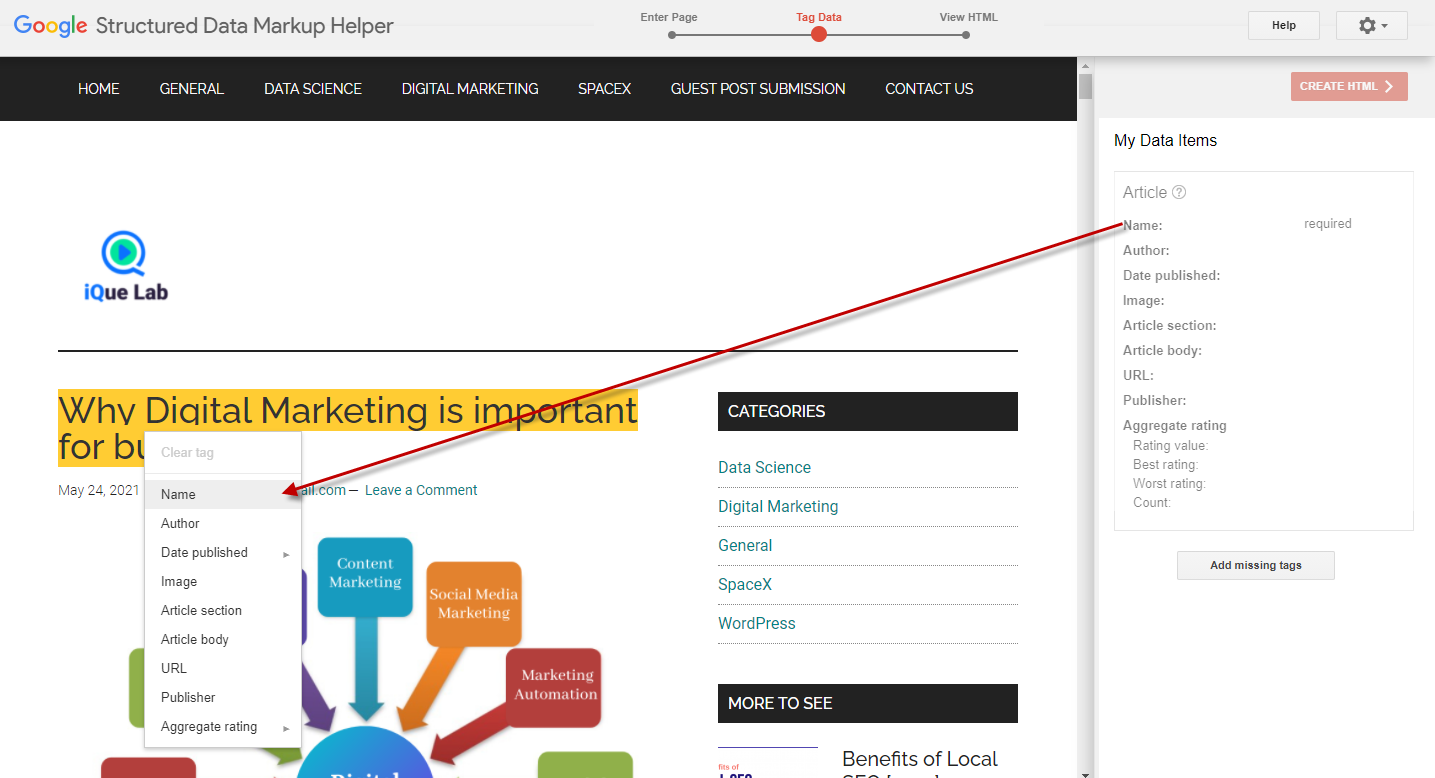
Begin tagging the item in the appropriate part of your page. For example, you can highlight the title of the article page and select "name" from the drop down menu for the name item.
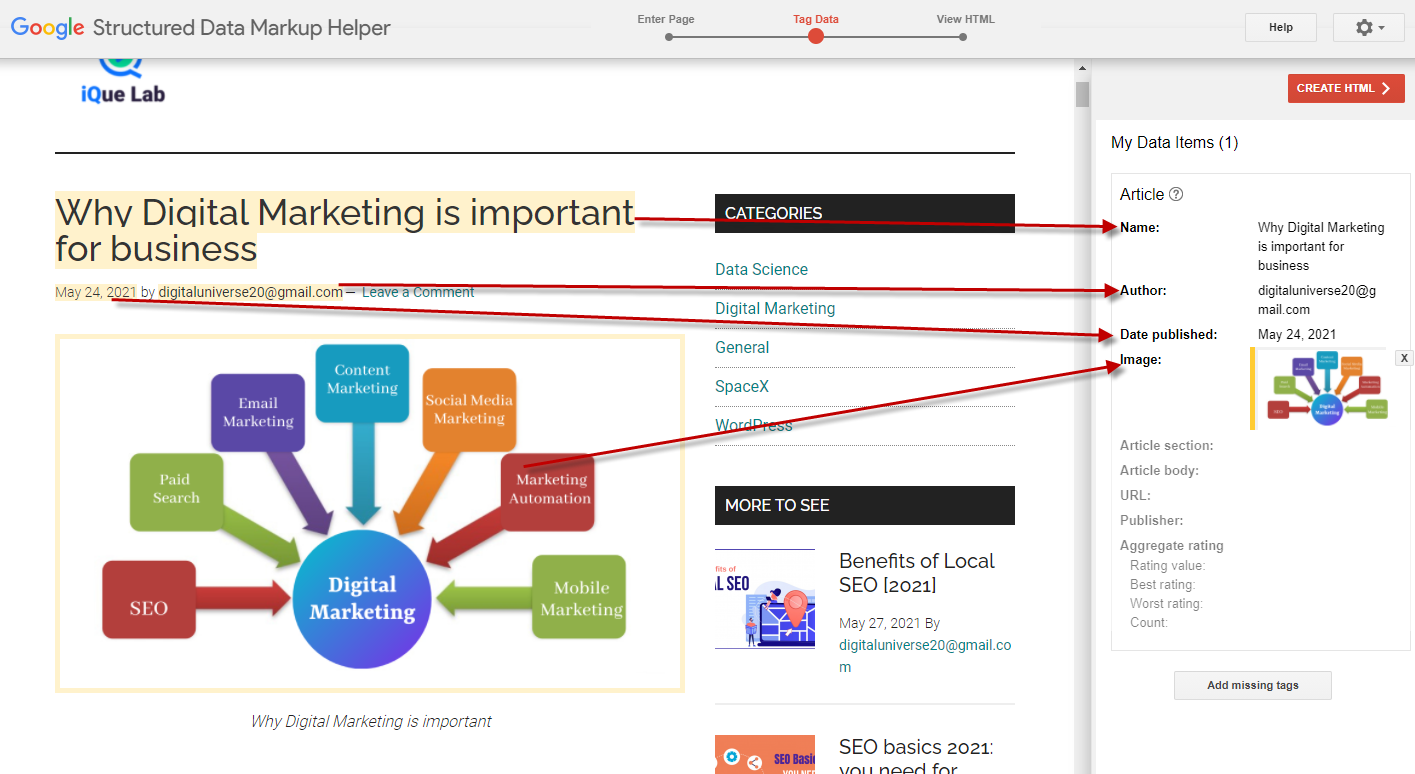
You'll see the identical data item in the right-hand side panel after selecting it from the drop-down menu. For example, if you select "name" from the menu, the tool will add it to the "Data Items" section on the right side.
As a guide, use the list of data elements to identify the other parts of your article that you want to include in the schema. Don't worry if you can't tag all of the objects; just add as much as you can and leave the rest blank.
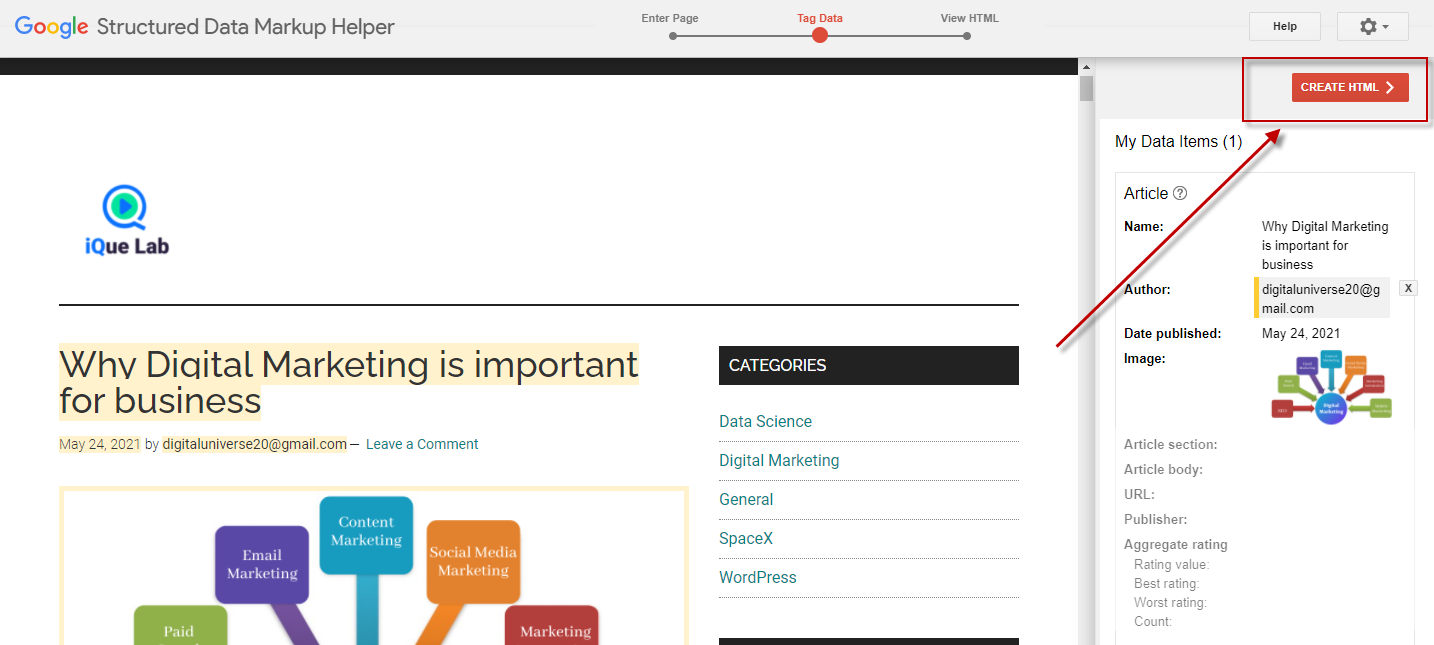
When you've finished tagging all of the objects you need, go to the top right corner and select "generate HTML."
You'll see the JSON-LD code for your webpage, which includes all of the fields you marked on the previous page.
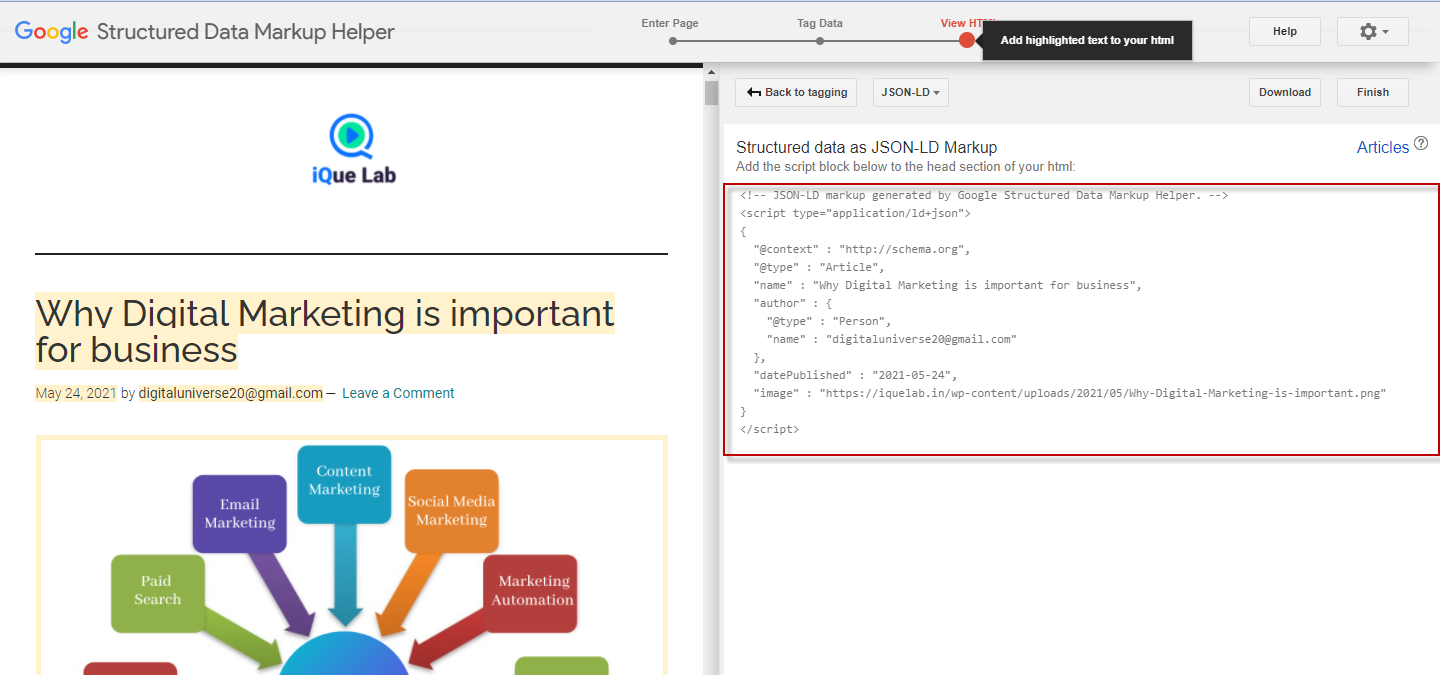
Now, use the download button to get the automatically created JSON-LD code and paste it into your CMS or source code.
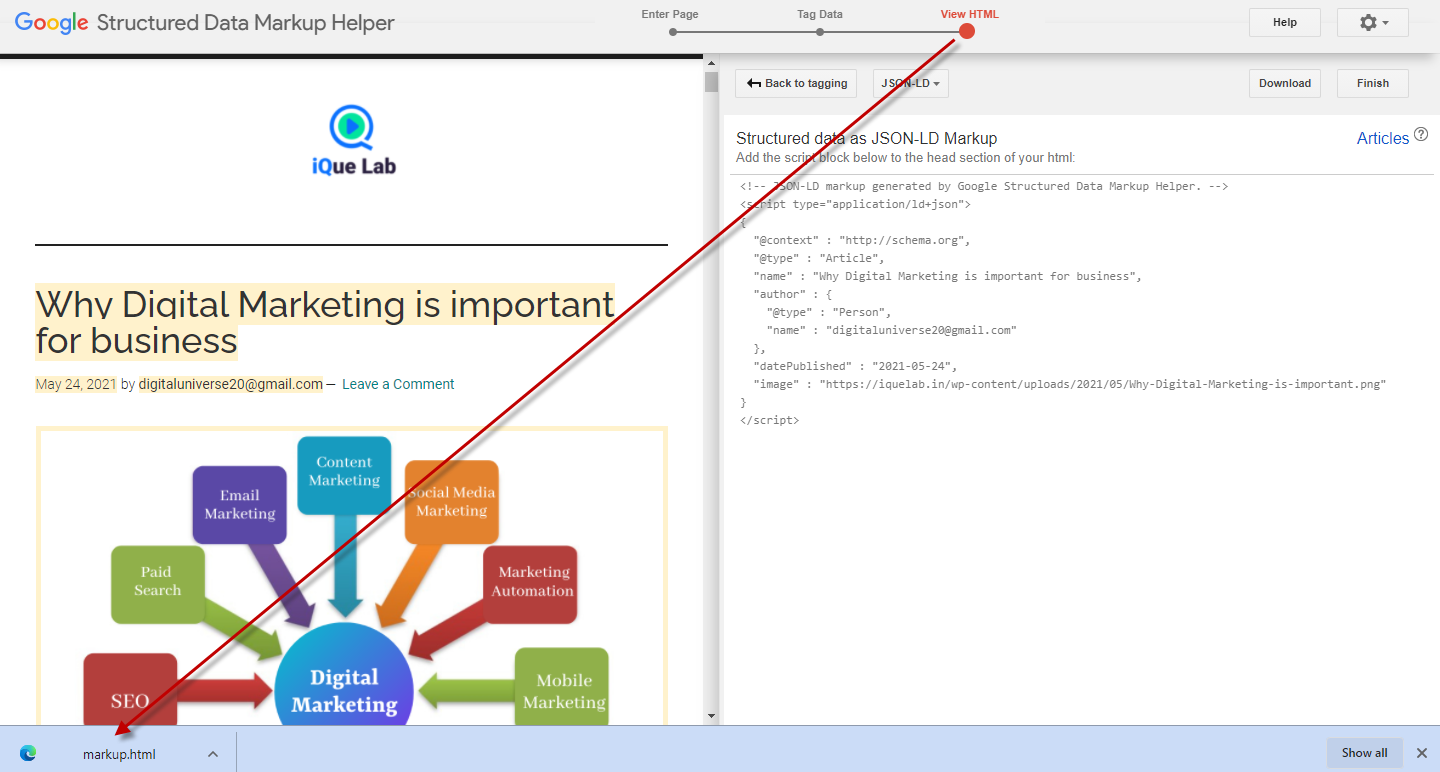
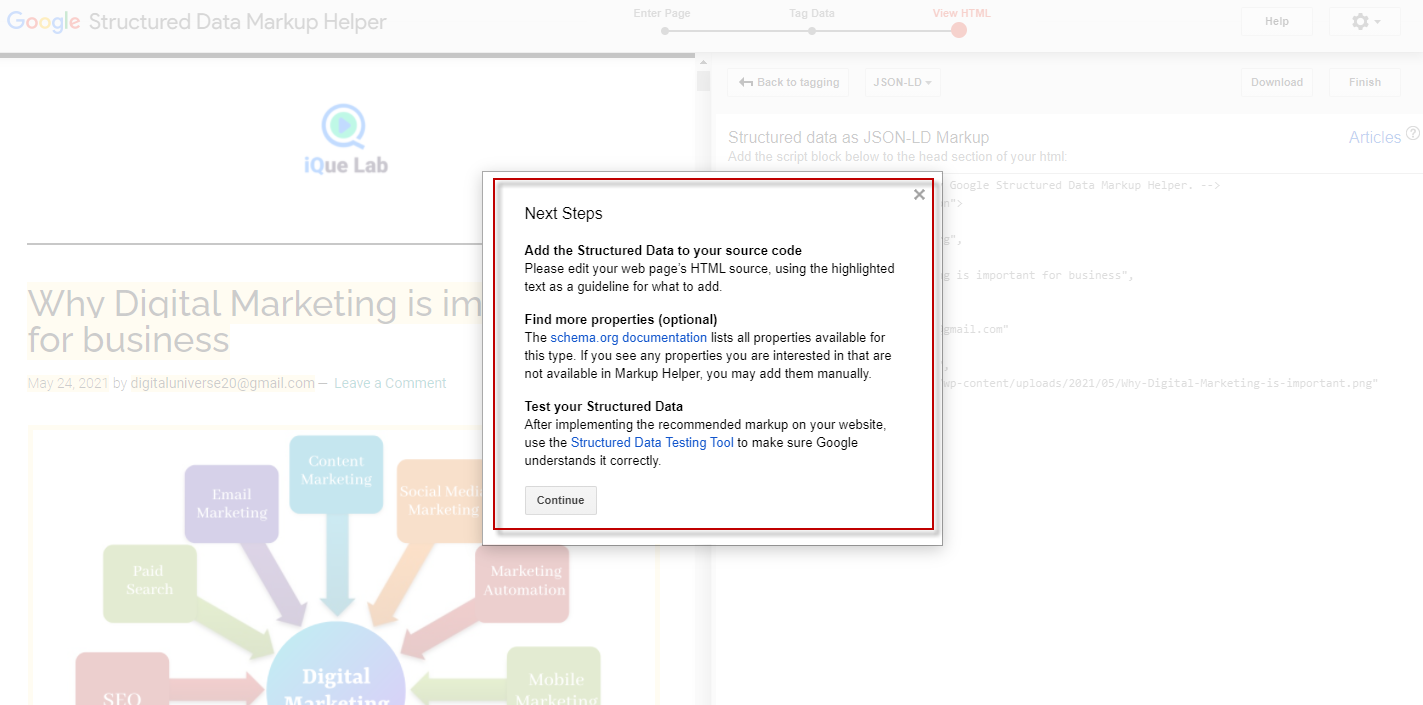
When you click "Finish," you'll be taken to the "Next Steps" page.
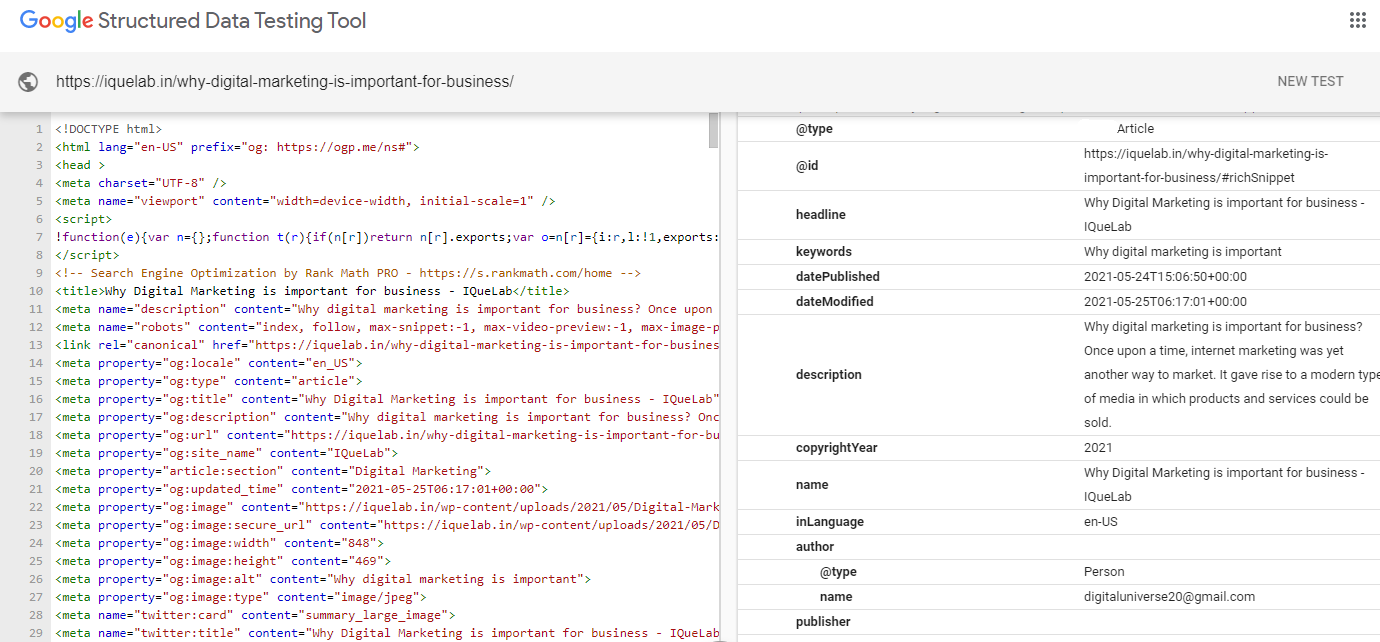
To see how your webpage will look with the updated markup, use the Structured Data Testing Tool.
MUST READ: Why Digital Marketing is important for business
Depending on the type of content, there are a variety of schema markups to choose from. The following are some of the most commonly used schemas:
Continue adding markup items
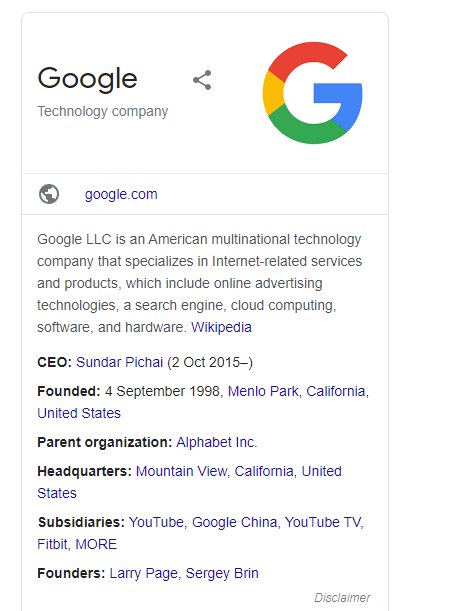
The Organization Schema Markup clarifies a company's introduction, including its official logo, address, contact information, a brief description of the company, reviews, and social profiles.
Schema of Breadcrumbs The path links that lead to the current page are listed in markup. On the SERP page, there is no breadcrumb for the title.

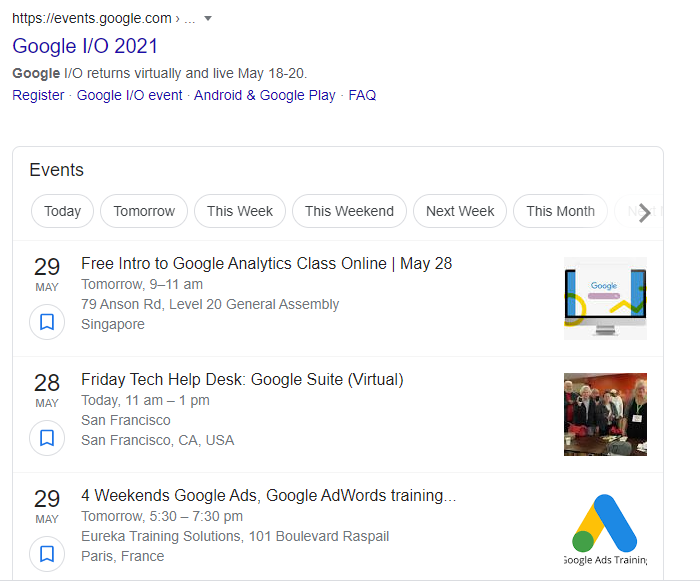
The information for the scheduled events is provided by Event Schema Markup. It displays information for webinars, concerts, lectures, and other events, such as the date, location, and price.
The recipe website pages use Schema markup to display as a rich snippet.
The People/Person Schema Markup is used to display personal information such as a person's name, birthday, address, education, and family members.

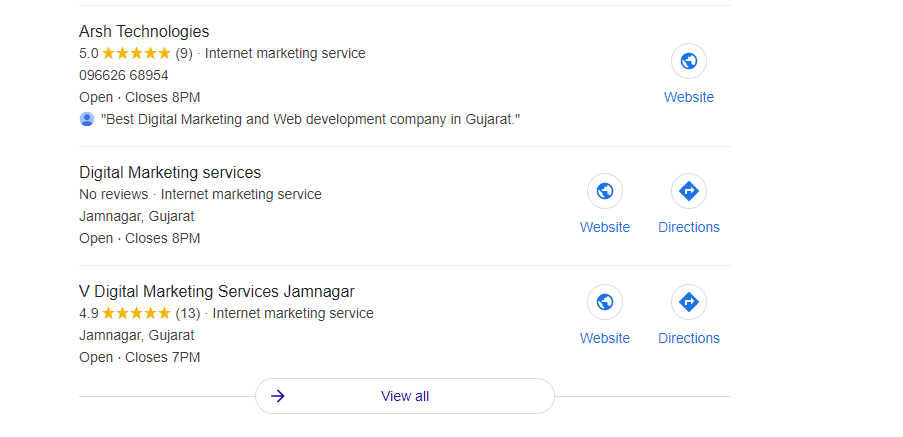
This Local Schema Markup aids in the ranking of local businesses. For instance, the screenshot below depicts a local listing for the query "grocery stores near me."
The Review/Rating Schema Markup allows a service provider to gain trust from search engine users even before they visit the page and make an online purchase of services or products.
The use of Google Schema Markup on a website makes it easier for search engines to crawl and index videos. It also informs search engines about the content of a video-rich webpage.
A list of questions and answers to a specific topic is contained in the FAQ (Frequently Asked Question) Schema Markup. Websites that are marked up with FAQ schemas will be eligible for a rich SERP result.
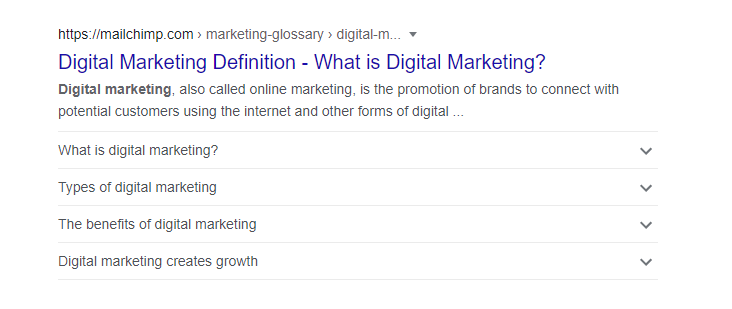
If you use Schema on your page, Google does not guarantee that your page will rank higher in the SERPs. Adding schema markup, on the other hand, will raise your chances of being highlighted in a "rich snippet," which can raise your click-through rate (CTR). In the quest for greater web traffic, using Schema Markup correctly can put you ahead of your competitors.
Tell us what Schema Markup you're using and how it's helped you.
This website uses cookies to ensure you get the best experience on our website.