

No results found for your search.
Select Country
Sitemaps - What is a Sitemap and It's Types
What is a Sitemap?
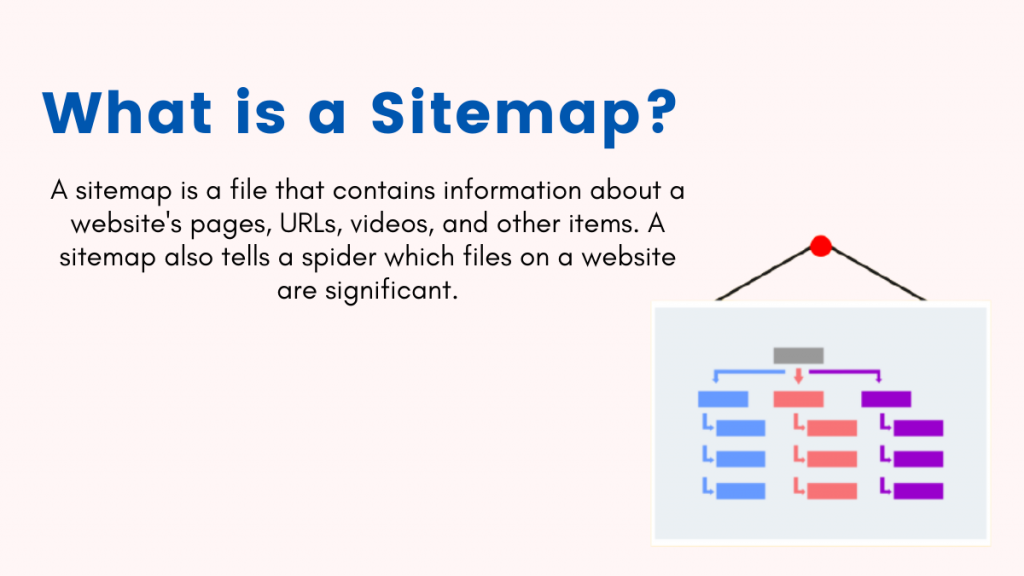
A sitemap is a file that contains information about a website's pages, URLs, videos, and other items. A sitemap also tells a spider which files on a website are significant.
“Good SEO work only gets better over time. It only searches engine tricks that need to keep changing when the ranking algorithms change.” -Jill Whalen
Types of Sitemaps in SEO
There are two types of sitemaps:
- HTML Sitemaps
- XML Sitemaps
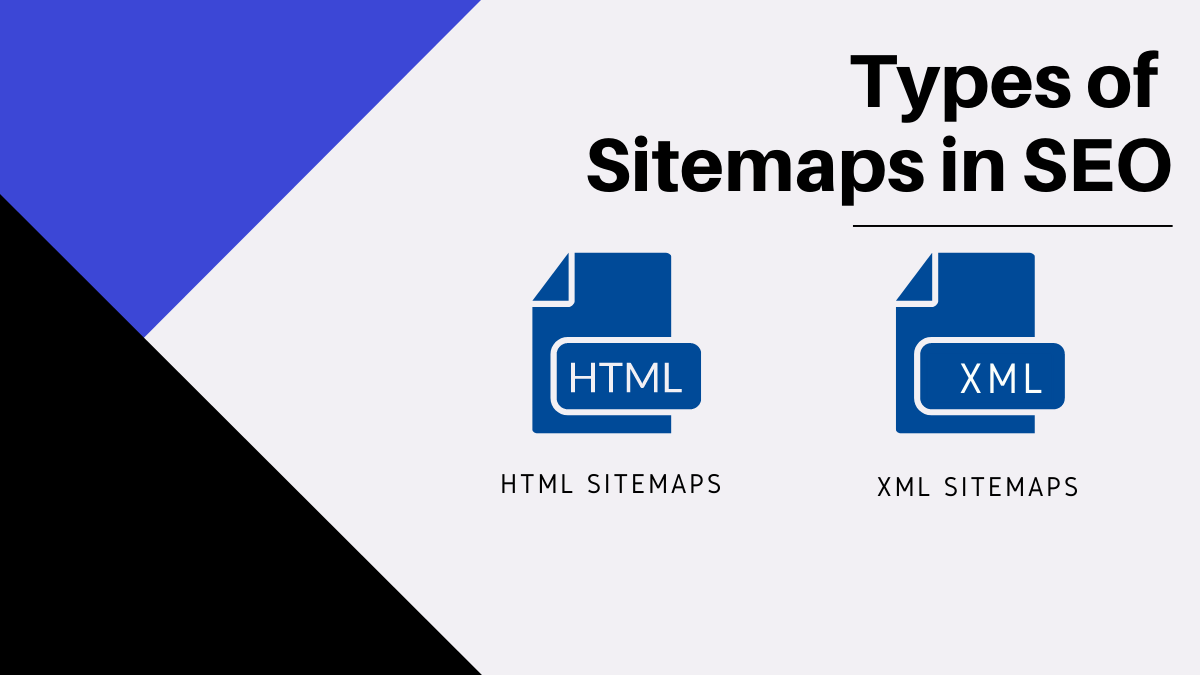
HTML sitemaps, for the most part, direct visitors. XML sitemaps direct search engine bots to the URLs on a site that they should index. Understanding the advantages and disadvantages of each will aid your search engine optimization efforts.
XML Sitemaps are further divided into the following types:
- Image Sitemaps
- Video Sitemaps
- News Sitemaps
- Mobile Sitemaps
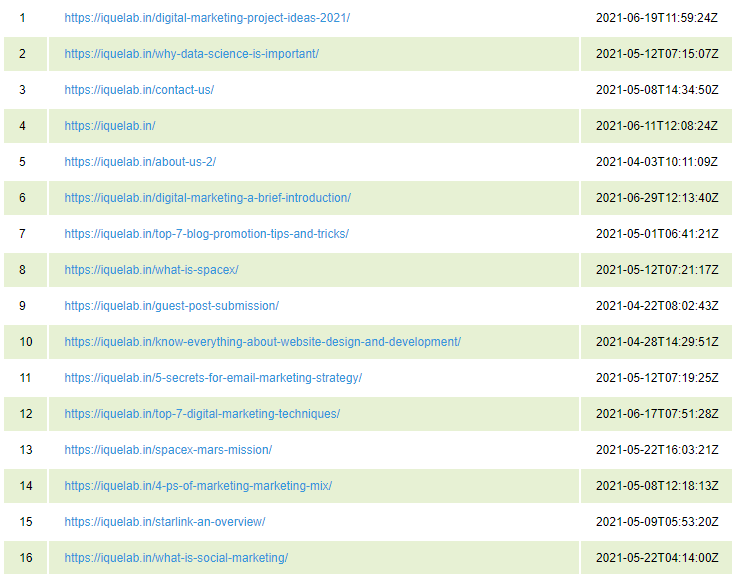
1) HTML Sitemap
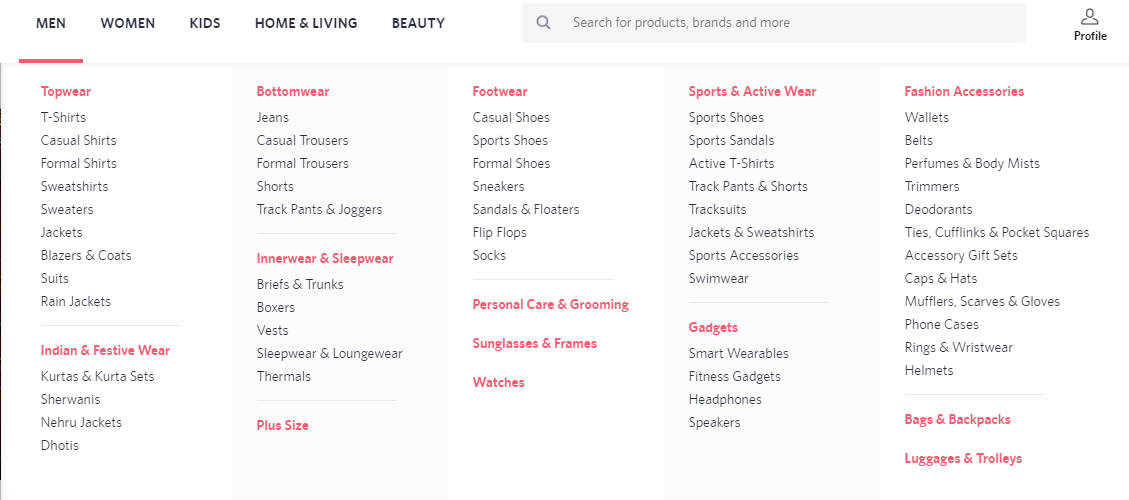
The users will benefit from an HTML Sitemap. It makes it simple for visitors to move about the website.
A screenshot of an HTML Sitemap is shown below:
2) XML Sitemap
It makes it easier for bots to crawl the website. XML makes information machine-readable. It also aids them in determining which of a site's URLs are the most important.
When a bot visits a website, it first looks at the robots.txt file, which contains instructions such as which URLs to crawl and which to ignore. Your XML sitemap should be referenced in the robots.txt file, which instructs the bot to crawl the list of URLs.
MUST READ: How to set Robots.txt & Meta Robots Tag
XML sitemaps adhere to strict markup guidelines. The XML sitemap is generated automatically, ideally without human interaction, after it is formed. Check for problems on a regular basis, though, because outdated, erroneous, and duplicate URLs appear all too frequently.
A screenshot of an XML Sitemap is shown below:
There are a few tags that can be included in an XML Sitemap: <lastmod>, <changefreq> & <priority>.
The <lastmod> tag carries the date of the last modification of the file. The <lastmod> tag should always be in the format of YYYY-MM-DD
The changefreq> tag informs the crawler how often the page is updated. In the changefreq> tag, one of these values should be present – always, hourly, daily, weekly, monthly, and yearly.
<priority> value can range from 0.0 to 1.0. The priority tag is used to inform Google and other search engines about the importance of specific sites.
In this situation, 1 represents the highest value and 0 represents the lowest value. If the priority> value for a certain page is not set, the value is set to 0.5 by default.
Types of XML Sitemaps
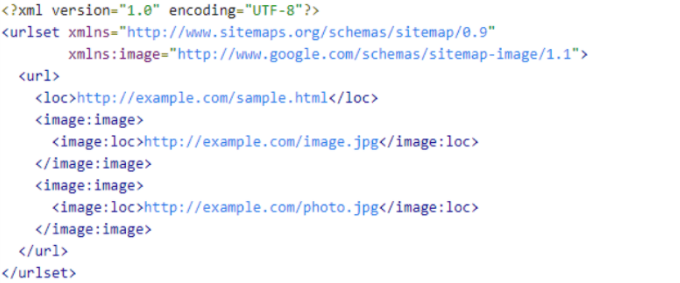
2.1) Image Sitemap:
- An image sitemap is for images.
- Having an image sitemap helps images get featured in Google Image Search
- <image:image> and <image:loc> tags are mandatory tags for an image sitemap
- <image:caption>, <image:title>, <image:title> and <image: geo_location > are optional tags for an image sitemap
A screenshot of an image sitemap is shown below:
2.2) Video Sitemap:
- A Video Sitemap, like an Image Sitemap, aids in the inclusion of videos in SERPs.
- It helps bots better understand video content
- <url>, <loc>, <video:video>, <video:thumbnail_loc>, <video:title>, <video:description>, <video:content_loc> and <video:player_loc> are mandatory tags for a video sitemap
ALSO READ: Best SEO plugins for WordPress
2.3) News Sitemap:
- For news websites, this sitemap is required.
- Articles published more than two days ago are not allowed in news sitemaps.
- Sitemaps can't have more than 1000 URLs in them.
- If there are more than 1000 URLs, divide them into many sitemaps and utilise a sitemap index file to keep track of them.
- Having a news sitemap makes it easier for content to appear in Google's "News Section."
2.4) Mobile Sitemap:
- According to John Muller, a mobile-friendly website does not require a Mobile Sitemap.
- Only if you have a custom formatted version for mobile devices do you need a Mobile Sitemap.
What is the difference between an HTML sitemap and an XML sitemap?
The main difference between HTML and XML sitemaps is who they are intended for. Humans use HTML sitemaps, whereas search engines use XML sitemaps. An XML sitemap is written for search engine spiders to allow them to easily and quickly extract all of the pivotal pieces of information about your website simply by looking at the XML file.
HTML sitemaps would assist lost users on your website in finding a page that they are looking for, whereas an XML sitemap is written for search engine spiders to allow them to easily and quickly extract all of the pivotal pieces of information about your website simply by looking at the XML file.
In a way, if you want to improve your user experience, an HTML sitemap will help you the most because it will improve your site ranking in the long term. In addition, an expertly created HTML sitemap should ideally have an anchor link that points to each web page on the website. As a result, the entire site would be crawlable, and an XML sitemap would be unnecessary.
What are the Sitemap Advantages?
One of the most important advantages of sitemaps is that they can help in crawling. You may be confident that Google's web crawlers will find practically every nook and cranny of your site, especially if the pages are properly linked.
Those who manage one or more websites will undoubtedly be interested in sitemap creation. But the major question is what are the benefits of using a sitemap.
MUST READ: Types of Digital Marketing
Which websites are the most likely to benefit from sitemaps?
While sitemaps are a useful addition to any website, they are especially useful for those that match a set of requirements. A site must be fresh, vast, ripe with content that is not properly linked, and rich with media content, according to Google, in order for sitemaps to be effective. It is easy to assume that most websites require a sitemap based on the criteria provided.
Although Google cannot guarantee that its bots will read the sitemap of a website. Sitemap offers no risk to site owners, according to them. In fact, having a sitemap has only positive consequences, as Google would never punish a website for having one.
So, if you want a specific site to rank, you should start by adding a sitemap to your website.
How might sitemaps help with content syndication and duplication?
The use of an XML sitemap is a good technique to address content duplication and syndication issues that plague most websites. Without a doubt, Google penalises websites that duplicate content in order to remove spammy sites from search results pages.
So, what are some examples of duplicate content?
Some websites, for example, publish a lot of information and syndicate it to other websites. Aside from that, certain websites may repost blog posts without the author's permission. These are two examples of content duplication that Google prohibits and punishes. Google will recognise that you are the first and original creator of the content if you use an XML sitemap.
An XML sitemap would notify Google when you updated your website with fresh content, in addition to letting Google know that you are the original developer of the information. Regularly publishing high-quality content will boost your rating.
If Google could easily determine when you posted or modified a certain piece of content. Remember that content is king when it comes to competitive SEO. Websites with interesting and high-quality content are rewarded and highly valued by Google.
How to create a sitemap?
So you've decided to create a sitemap for your website since you've seen the benefits of having one. How do you go about doing it? A sitemap, as useful as it is, isn't exactly a simple piece of programming.
It's possible that the mechanics of making one will intimidate you. However, this should not stop you because many content management systems (CMS) will automatically generate sitemaps.
The Yoast SEO Plugin for WordPress is a standard XML sitemap generator. If you don't want to utilise WordPress, there are a number of free web applications that will produce a sitemap for you.

How Sitemap helps to submit multiple URLs to Google?
The most frequent technique to add numerous URLs to Google is through a sitemap.
That's because a sitemap combines all (or almost all) of your site's links and pages into a single XML file. Your sitemap will almost always include your most important pages, such as your contact page, service page, or main product page. These pages are usually found in the navigation bar of your website.
It's recommended practise to construct multiple sitemaps rather than a single sitemap if you have a huge website. An ecommerce apparel business, for example, would establish different sitemaps for its footwear, tops, and pants product pages.
A sitemap is one of the quickest ways to submit URLs to Google because it gathers all of your site's information. You submit your sitemap to Google Search Console (more on that later) and wait for Google to index and crawl your site.
You can submit all of your URLs to Google (through a sitemap) in three stages in Google Search Console:
Log in to your Google Search Console account
Log in to your Google Search Console account now. You can select your website or property from the sidebar menu (found on the left-hand side). You may have more than one website affiliated with your firm, depending on your industry. If that's the case, choose the first website or property you'd like to work on. If you don't already have an account, you'll need to establish one and add and verify your website. Don't worry, we've put together a handy guide to lead you through the entire procedure. Keep in mind, however, that the verification procedure may require assistance from your development team.
You can begin submitting links to Google for indexing after your account is activated.
View your Sitemaps report
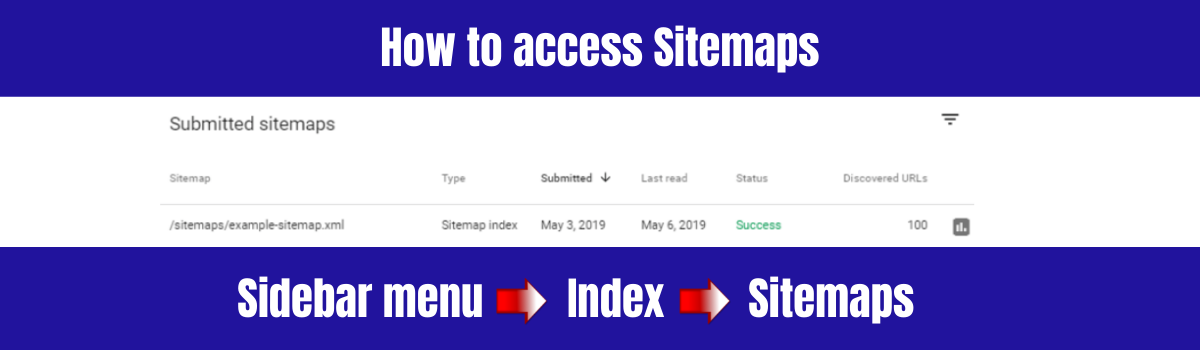
The Sitemaps report in Google Search Console is the next step. The Sitemaps report can be found in the sidebar menu, under the "Index" section. The report will be loaded when you click "Sitemaps" in Google Search Console.
The Sitemaps report displays all of your submitted sitemaps as well as detailed information about each one:
- Sitemap type
- Submission date
- Last read date
- Status
- Number of discovered URLs
This information will become invaluable once you submit your first sitemap.
Submit a new sitemap
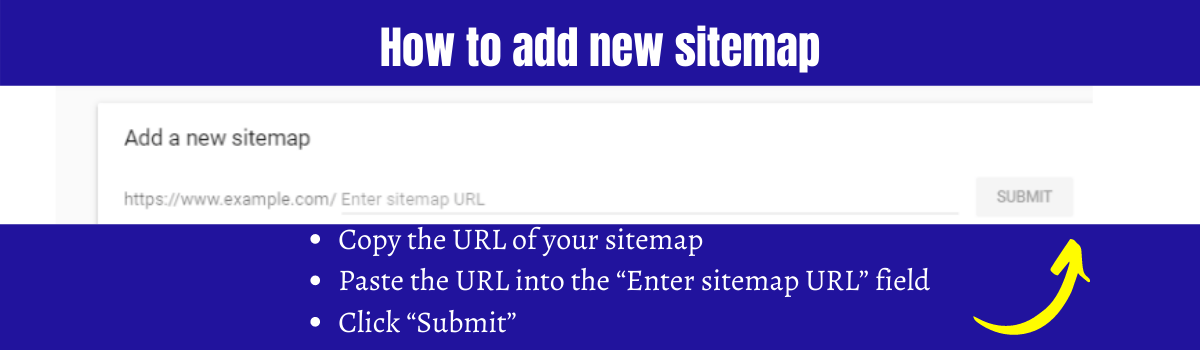
You can create a new sitemap in your Sitemaps report to submit numerous URLs to Google at once.
Simply follow the steps below:
- Copy the URL of your sitemap
- Paste the URL into the “Enter sitemap URL” field
- Click “Submit”
That's all there is to it.
However, keep in mind that Google will not crawl and index your site right away. Google's assessment of your sitemap can take anything from a few days to a few weeks. The Sitemaps report, on the other hand, can be used to check that Google crawled your sitemap and to see how many URLs it found from it.
You can start using Google Search Console in new ways once your site has been indexed, such as:
- Evaluating your site's mobile usability
- Examining the keywords or queries that bring visitors to your site
- Examining your site's internal and external linkages
- And a lot more
All of this information can assist your organisation in improving the rankings of your pages in Google search results.
Conclusion
As previously stated, incorporating a sitemap into your website will only benefit it. Because there are no known risks, you will not be penalised by Google if you have one. It is the most advantageous of the sitemap benefits. You should include a Sitemap on your website if you want to improve your rankings and provide your users with a better and more satisfying experience. After all, what do you have to lose if there are no recognised dangers or penalties?